Title here
Summary here
After switching from Microsoft’s original map to an enhanced map, or changing providers during flight, the simulator may display cached tiles alongside new imagery, creating patches or seams. Clearing Map Enhancement’s application disk cache does not also clear the MSFS 2024 Rolling Cache.
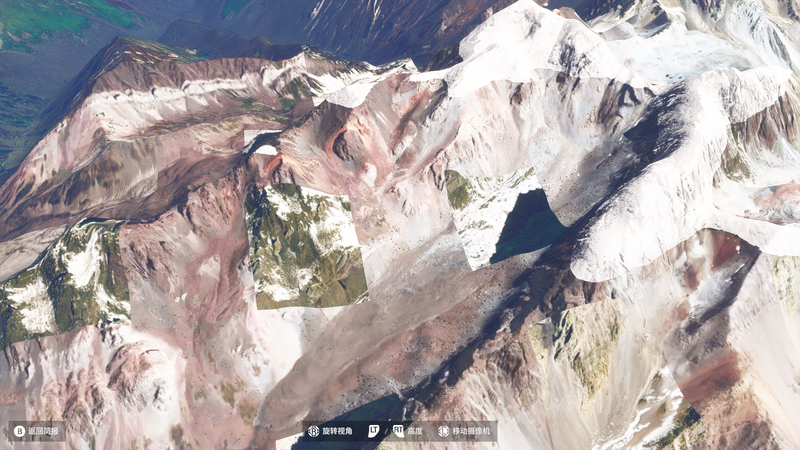
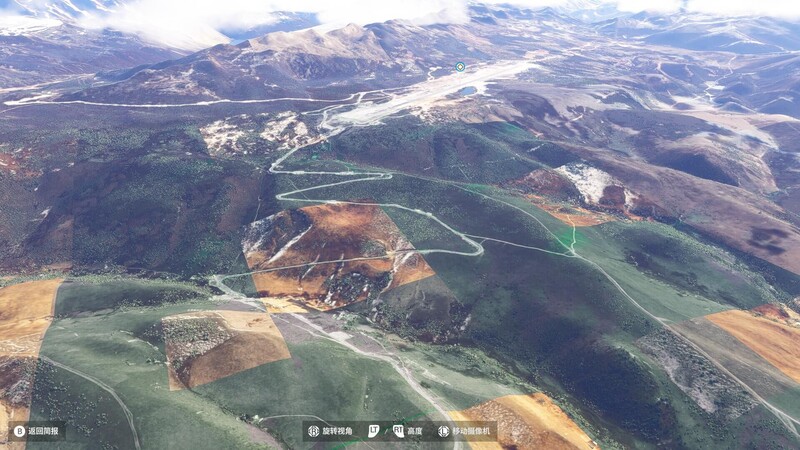
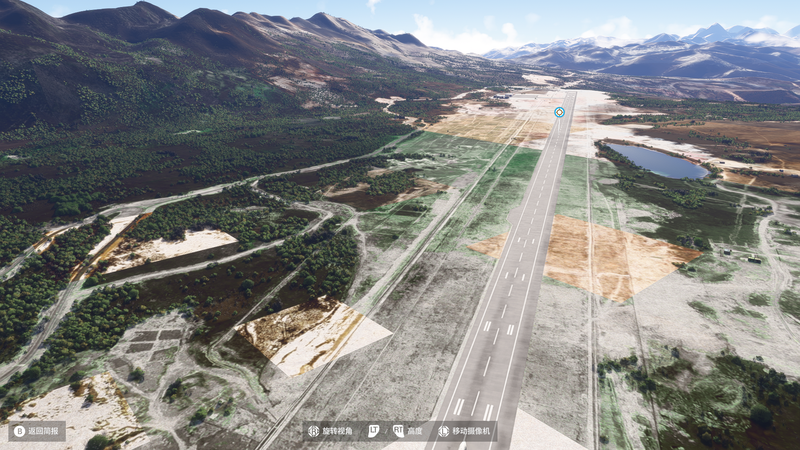
Check the configured Rolling Cache path, then use satellite-imagery cleanup or general targeted cleanup as described in Cache Options. Deleting the whole file before every launch is not required; the first load after cleanup is slower and uses more bandwidth.
Cleanup does not immediately redraw the current view. Move to another area or reload the flight before comparing. If the difference is confined to photogrammetry areas, those still use Microsoft’s scanned 3D data and cannot be replaced by repeatedly clearing caches. Temporarily disable photogrammetry to compare, then restore the setting.
MSFS 2024 ground imagery can look less detailed than MSFS 2020. Use the newer Ground Detail Adjustment feature to improve ground detail. Start with Medium and set the simulator’s Terrain Level of Detail (TLOD) to 200, then adjust gradually for performance.
MSFS 2024 also has a dynamic frame-rate setting. If enabled, it can automatically reduce image quality; disable it when you want consistent visual quality.